Admin
The admin is generated from your declarations. There is no build step, no CDN and
no JavaScript framework: server-rendered Jinja2 with inline SVG charts, so it
works on a fresh pip install and offline.
Then open http://127.0.0.1:8000/admin/.
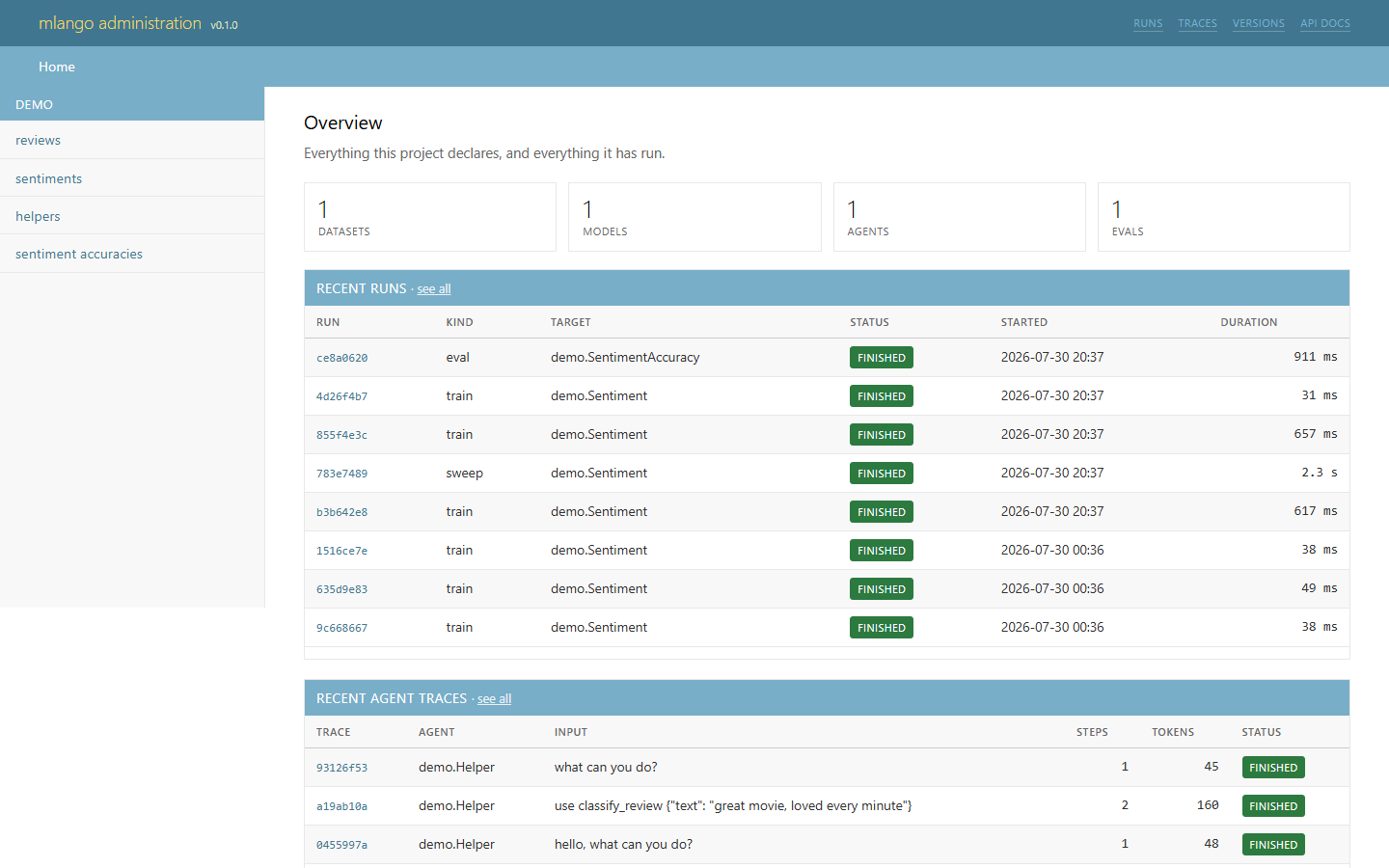
Every screenshot on this page is the demo project a fresh mlango startproject
gives you, with nothing configured.
What each page shows
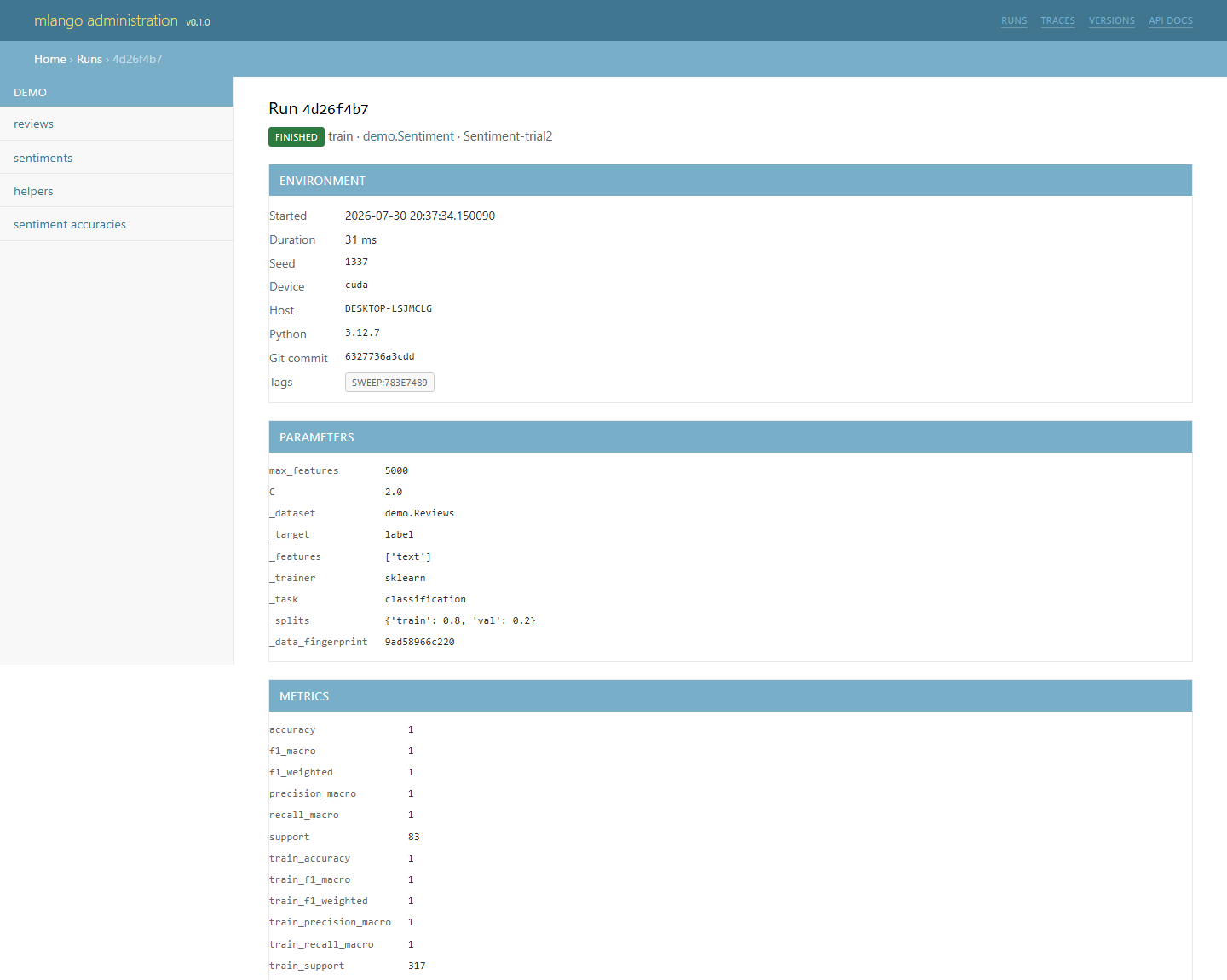
Environment, parameters, metrics, artifacts and per-case evaluation results. The metric charts are inline SVG, so nothing is fetched to draw them.
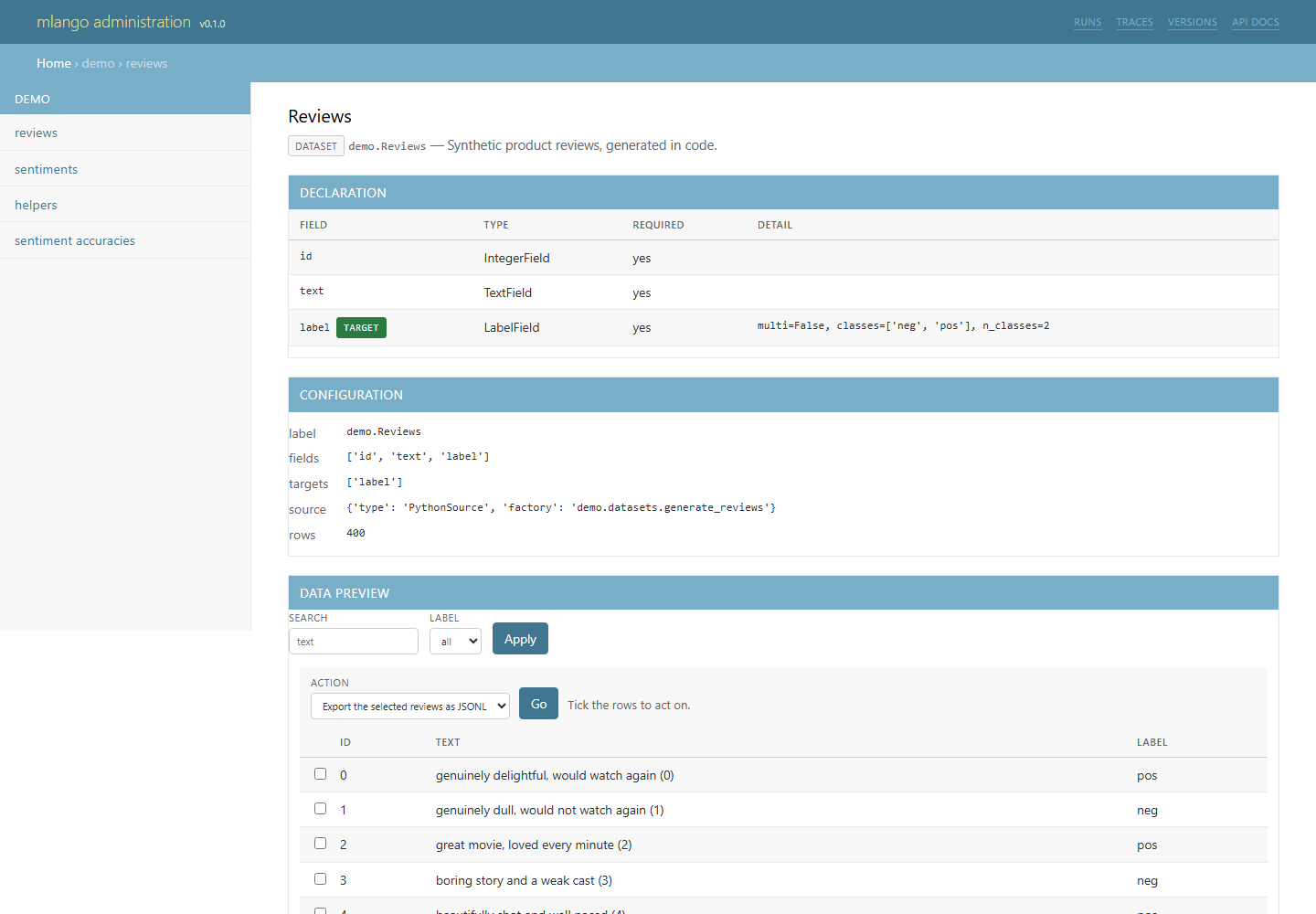
A live preview of the declared source, with the filters and search derived from the field types, alongside the schema and materialised versions.
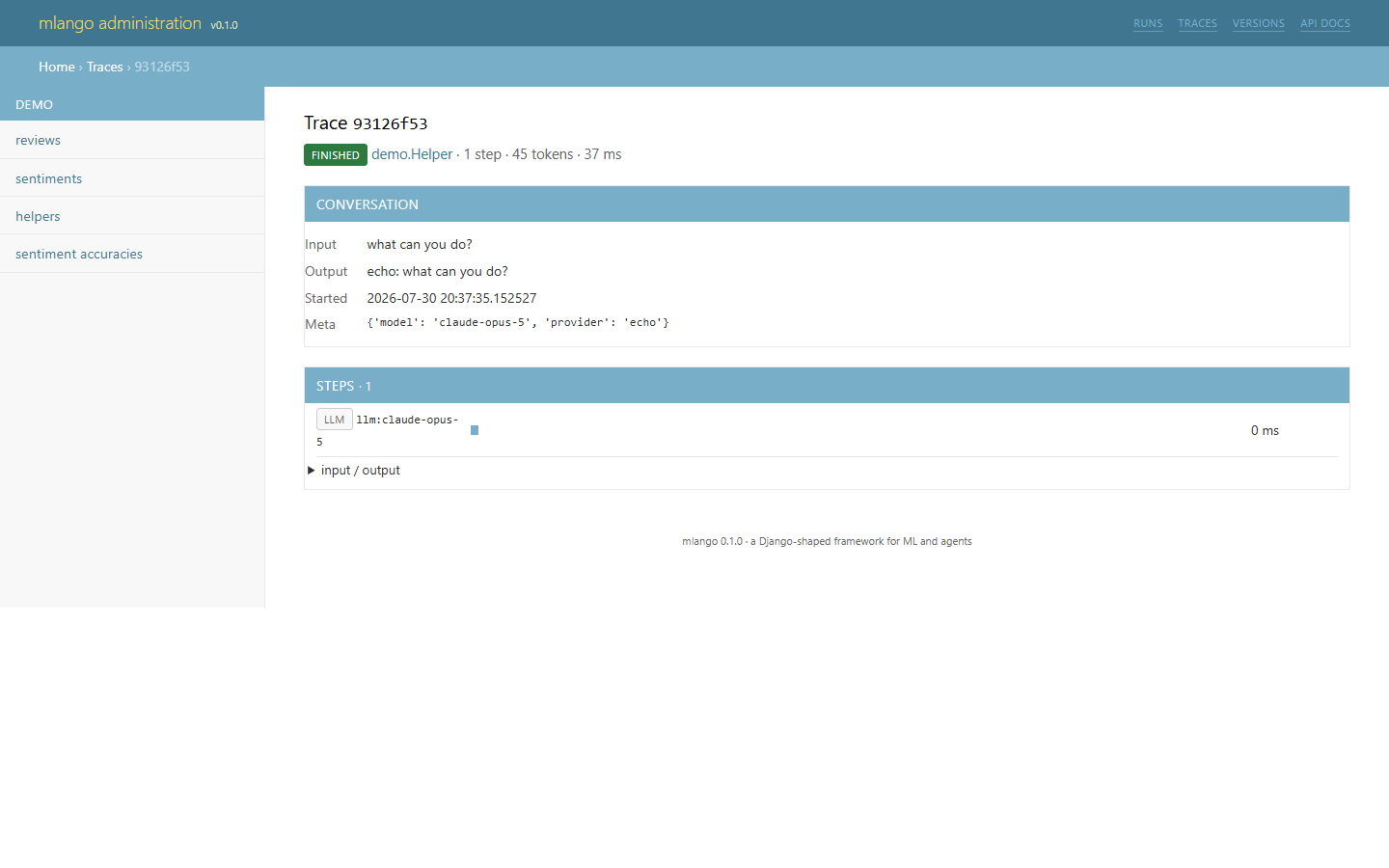
Every step of a tool-use loop: what the model said, which tool it called, what came back, and how long each span took.
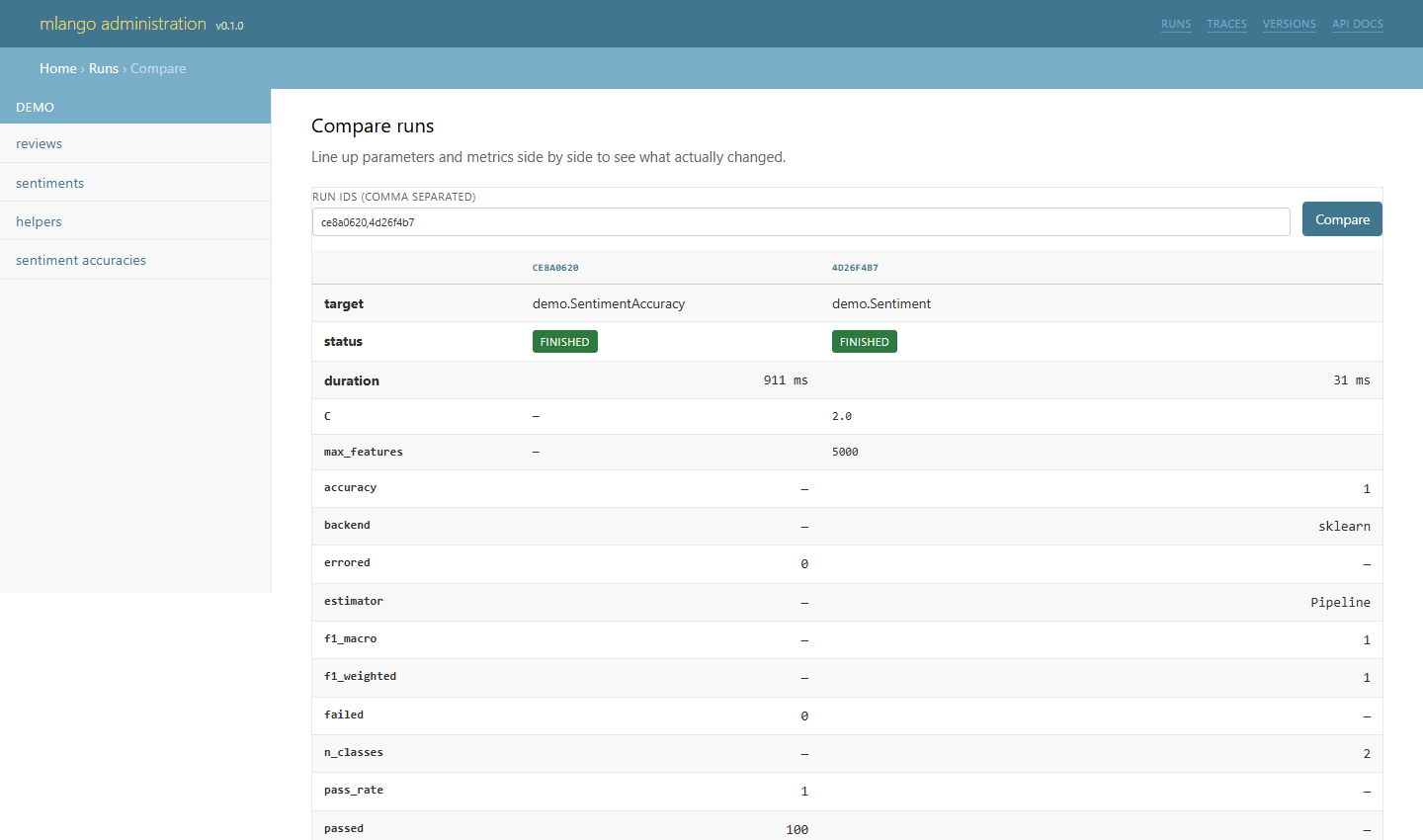
Two or more runs side by side, with the parameters and metrics that differ.
Everything appears by default
Unlike Django, mlango registers nothing by hand. A project's first question is
always "what datasets and runs do I have?", and answering it should not require
writing an admin.py first.
Register only to change the presentation:
from mlango import admin

from reviews.datasets import Reviews


@admin.register(Reviews)
class ReviewsAdmin(admin.ObjectAdmin):
    list_display = ("id", "text", "label")
    list_filter = ("label",)
    search_fields = ("text",)
    list_per_page = 50
ObjectAdmin options
| Option | Default | Effect |
|---|---|---|
list_display |
first six fields | Columns in the preview |
list_filter |
fields with a bounded set of values | Dropdown filters |
search_fields |
text fields | Case-insensitive substring search |
ordering |
source order | Default sort |
list_per_page |
25 | Rows per page |
preview_limit |
5000 | How many rows a filter may scan |
help_text |
"" |
Free text at the top of the page |
date_hierarchy |
"" |
A date field to drill the preview down by month |
actions |
every action_* |
Which actions to offer, and in what order |
Naming a field that does not exist is caught by manage.py check, not at
render time.
Custom columns
Add a render_<column> method:
@admin.register(Reviews)
class ReviewsAdmin(admin.ObjectAdmin):
    list_display = ("id", "text", "label", "length")

    def render_length(self, record) -> str:
        return f"{len(record.text)} chars"
Actions
Django's changelist actions, with the same shape: tick some rows, choose an
action, apply. A method named action_<name> becomes one, and its first
docstring line is the label, so what the user reads and what a developer reads
cannot drift apart.
@admin.register(Reviews)
class ReviewsAdmin(admin.ObjectAdmin):

    def action_export(self, records):
        """Export the selected reviews as JSONL"""
        path = default_storage().path("exports/reviews.jsonl")
        with open(path, "w", encoding="utf-8", newline="\n") as fh:
            for record in records:
                fh.write(json.dumps(dict(record), ensure_ascii=False) + "\n")
        return f"Wrote {len(records)} review(s) to {path}"
Whatever the method returns is shown back to the user; return nothing and the label plus a row count is used. An action that raises is reported on the page rather than becoming a 500, because a failed export should not look like a broken admin.
Selection is by primary key, so Meta.primary_key has to be declared for
actions to have anything to select.
Drilling down by date
Adds a month strip above the preview, built from the values actually present.
Overriding a template
The admin searches ADMIN_TEMPLATE_DIRS before its own directory, so a project
replaces one template by name and leaves the rest alone:
The framework's directory is always searched last, so an override can never make
a page disappear: anything you do not provide still resolves. The templates
available to shadow are base.html, index.html, object.html, run.html,
runs.html, trace.html, traces.html, versions.html, compare.html and
missing.html.
What the pages show
Overview — counts per family, recent runs, recent traces, the latest model and dataset versions.
A declared object — its full declaration (fields, types, whether required, per-field detail), its resolved configuration, and then something specific to its family:
| Family | Also shows |
|---|---|
| Dataset | A data preview with filters, search and pagination, plus materialised versions |
| Model | Registered versions with metrics and one-click promotion, its runs, and a feature-importance chart |
| Agent | Recorded versions of its declaration, and recent traces with steps, tokens and status |
| Eval | Recent runs with pass rates, and what the last run fixed or broke against the one before it |
Runs — filterable by kind, status and target. A run page shows the full reproducibility record (seed, device, host, Python version, git commit and whether the tree was dirty, data fingerprint), every parameter, every metric, inline charts for metrics with more than one point, artifacts with their SHA-256, and — for evaluations — every case.
Compare — paste two or more run ids to line up parameters and metrics side by side:
Traces — every agent call. A trace page shows the conversation and a timeline of ordered spans, each expandable to its input, output, token usage and error.
Versions — every model and dataset version, with promotion controls.
Authentication
The admin is unauthenticated by default, which is right for a laptop and wrong for anything else.
manage.py check warns when the admin is open and DEBUG is off. For a real
deployment, put it behind your existing identity provider — an SSO proxy knows
about your organisation and this never will.
Disable it entirely with ADMIN_ENABLED = False, or serve the API alone:
Theming
The palette and the furniture are Django's admin on purpose: the #417690
header, the breadcrumb strip beneath it, modules with a coloured caption bar,
the yellow accent. The audience is Django developers, and recognising the
interface on sight is worth more than an original design.
It follows the reader's light or dark preference automatically. The whole
appearance is one <style> block in base.html, so restyling means shadowing
that one template as above.
Several sites
from mlango.admin import AdminSite

internal = AdminSite(name="internal")
internal.register(Reviews, ReviewsAdmin)
The reason one admin covers four families
Every page is written against _meta, not against Dataset or Model. The
template asks the declaration what its fields are, what its targets are and what
kind of object it is — so a fifth family would not mean a fifth admin. See
Concepts.